
Free Animation Software: A Cloth Cat Guide
To an absolute beginner, even dipping your toes into the world of animation can seem like a very daunting prospect. You may have tried doodling in the corner of a sketchbook and flicking through the pages to see your drawings come to life. Perhaps you’ve used your camera or smartphone to explore the limitless potential of stop-motion animation? These days, the fun definitely doesn’t have to stop there! In addition, it doesn’t have to break the bank.
In recent years, the animation industry has witnessed a revolution in the quality and capabilities of the software that is available to use free of charge. Thanks to a diverse and passionate ecosystem of animation creators and enthusiasts, non-profit incentives and open-source communities, the boundaries of creative possibility have been expanded far beyond their traditional limitations. Whether you’re a young animation fan discovering the process of animating for yourself, an animation student, a recent graduate looking to make your first independent film, or even a professional animator working in the industry, this plentiful resource of free software is available for you to explore!
We’ve compiled a list of our favourite freeware, which you can download and start using today! Yet, it’s not only the software itself that’s available for free; we’ll also be listing some of the many online tutorials and learning resources that can help to get your new projects off to a flying start. We may even throw in a few handy hints and tips from the Cloth Cat Team to spark your imagination!
Blender
Blender is an open-source, free to use 3D creation suite. It’s a very versatile piece of software that is widely used for a vast range of projects across a variety of different industries. Its powerful 3D modeling capabilities are utilised in the creation of characters and props for animation, for product design, architectural and scientific visualisation and even for 3D printing! Blender can be used for both 2D and 3D animation projects, storyboarding, motion graphics, and VFX. It’s also used within the video game industry for designing 3D characters, environments and textures, as well as for creating VR environments and experiences.
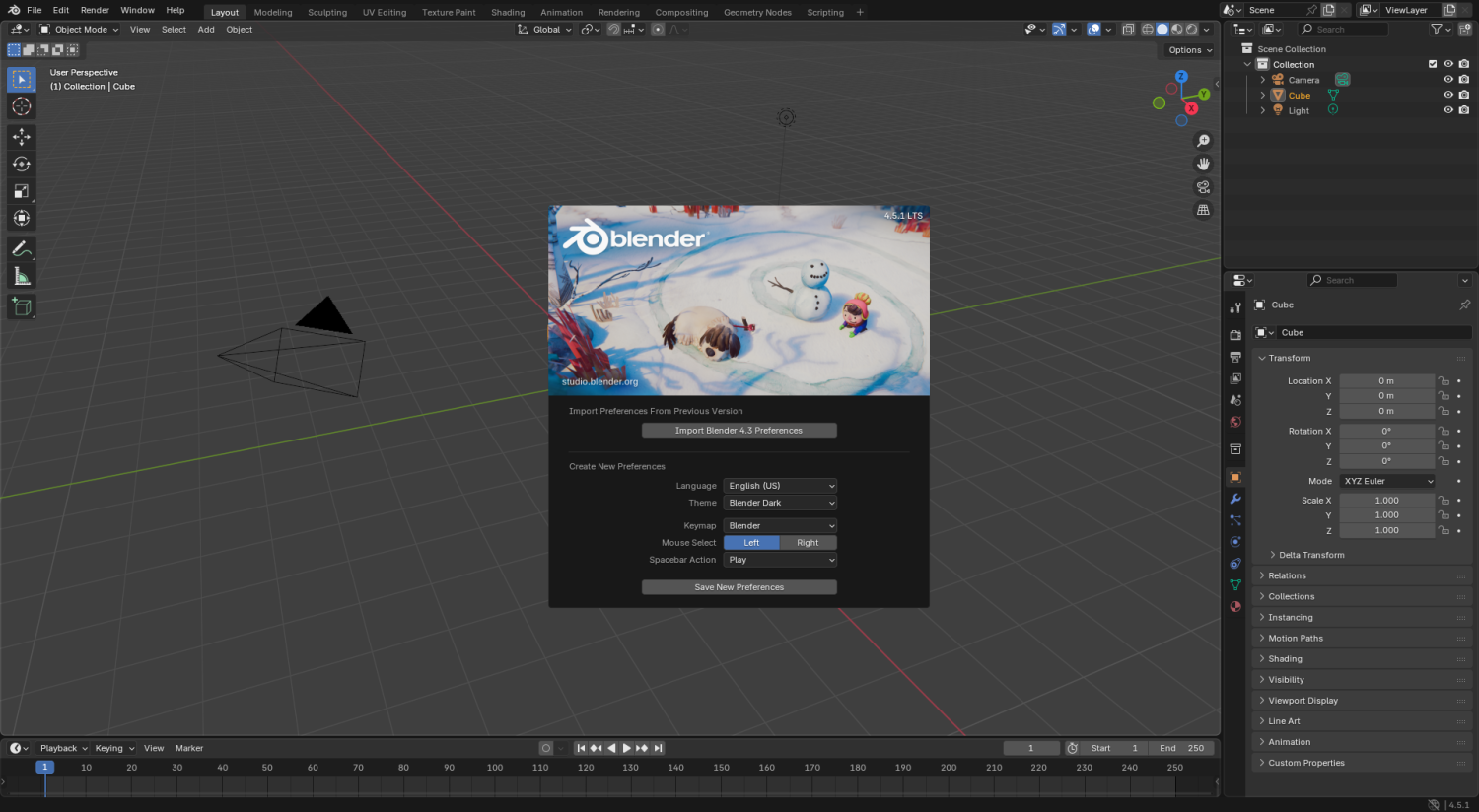
Blender 4.5.1: Image by EnDeeDoubleYou CC0 1.0
A popular choice for complete beginners to gain a foundational understanding of Blender’s key features, tools and controls is Blender Guru’s YouTube tutorial, Beginner Blender Tutorial – Full Course, often referred to as ‘The Donut Tutorial’. Blender expert Andrew Price guides users step by step through the process of modeling and rendering a three-dimensional iced ring donut. His website Poliigon also offers a range of tutorials, articles, software addons and plugins, alongside a vast selection of free high-quality textures, HDRI’s and models for 3D artists to use.
For intermediate and advanced users, Blender Stack Exchange, Blender Artists, BlenderNation and the Blender Subreddit are all thriving online communities that can help you to refine your skills, discover new techniques, share and receive feedback on your 3D work and find answers to the most specific, specialized questions. Here at Cloth Cat we use Blender for most of our 3D work. Our recent short film Save Our Upland Water Voles was created entirely in Blender, as well as our current Welsh language series Annibendod and our BBC Bitesize: Citizenship project. For further insight, check out our article, How We Use Blender’s Unique Rigging Features at Cloth Cat, written by our Lead Tech Artist Josh Doyle!
Krita
Krita is a free and open-source raster graphics editor designed for digital painting and drawing. It’s primarily used for creating 2D digital art, including concept art, illustrations, comics, and animations. It can be used to create 2D characters, frame-by-frame animations, walk cycles and backgrounds. Krita is also used to create assets for video games as well as textures to be used on 3D models.
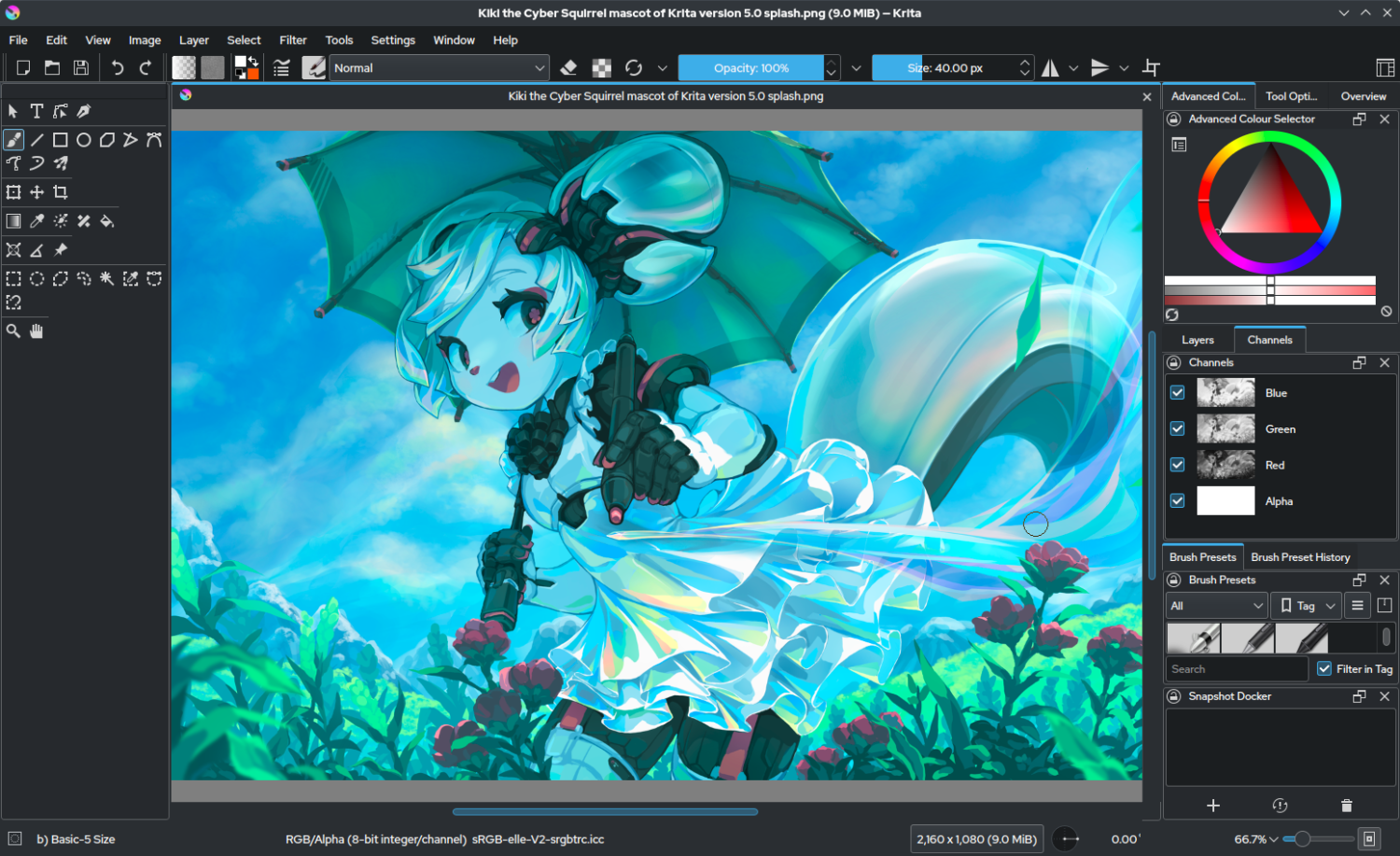
Krita 5.0: Image by Tyson Tan CC BY-SA 4.0
The software is very similar to Adobe Photoshop in lots of ways, but with a greater emphasis on digital painting as opposed to image manipulation. Krita provides an extensive library of brush engines with a vast array of different textures, presets and customisable properties that are perfect for creating digital art. We used the software to edit assets when we were working on Dave Spud.
Aaron Rutten’s Krita Essentials Digital Art Course on YouTube provides a comprehensive gateway into all things Krita. The free part of the course covers a large range of topics from navigating the user interface all the way through to importing and creating your own custom brushes to paint with. The YouTube channel Winged Canvas also has a great playlist of Krita tutorials for beginners, which includes a selection of videos specifically related to animation. Winged Canvas states that, “we’re not just a YouTube channel; we’re a collective of passionate artists and educators on a mission to make art education accessible to everyone.” We certainly advocate that! The Krita Artists community forum is another valuable resource for digital artists to share their work, ask for tips and advice, and contribute towards the project’s evolution.
Audacity
Sound is a crucially important aspect of animation and should be given as much care and consideration as any visual element. Music, voice acting, sound effects and ambient sounds can bring an extra dimension of depth to characters, create atmosphere and evoke emotion that deeply enriches the overarching narrative of a project. Sound can be utilised as a tool to guide your audience, whilst providing context and adding new layers of meaning.
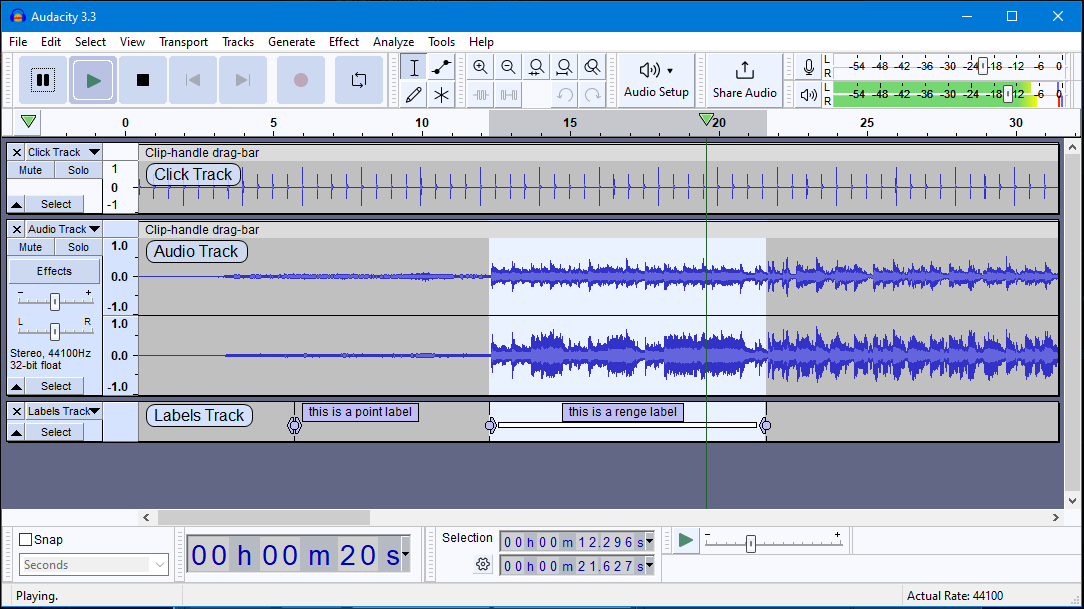
Audacity 3.3: Image by Peter H Sampson CC BY-SA 4.0
Audacity is a free and open-source digital audio editor and recording application that is widely used for music production, podcasting and voice-over work. It excels at recording, editing and mixing audio in a wide range of digital formats, making it a convenient choice for various workflows. Audacity is especially great for cleaning up voice recordings by removing background noise, enhancing audio quality, and adjusting volume levels. Users can remove noise, normalize audio, and use an equalizer to adjust the bass and treble frequencies for a clearer, crisper sound. We used Audacity to record and edit the voices for our BBC Bitesize: Citizenship project. Using the recording booth in our studio, we recorded our actors’ voices in both Welsh and English language.
The Ultimate Audacity Guide for Beginners is available to watch on YouTube. Mike Russell offers a complete guide, teaching you everything you need to know to master the basics of Audacity and begin creating professional-grade audio for free! The Audacity Forum serves as a resource for both beginners and experienced users, offering support, tutorials, and a space for community interaction.
Godot
Godot is a very versatile, cross-platform game development framework that is both free to use and open-source. The development interface supports multiple operating systems and is capable of producing both 2D and 3D interactive applications. Godot can be used to create games for PC, mobile, web, and extended reality platforms, including augmented, virtual, and mixed reality. Beyond games, it can also be used to build software tools and other applications.
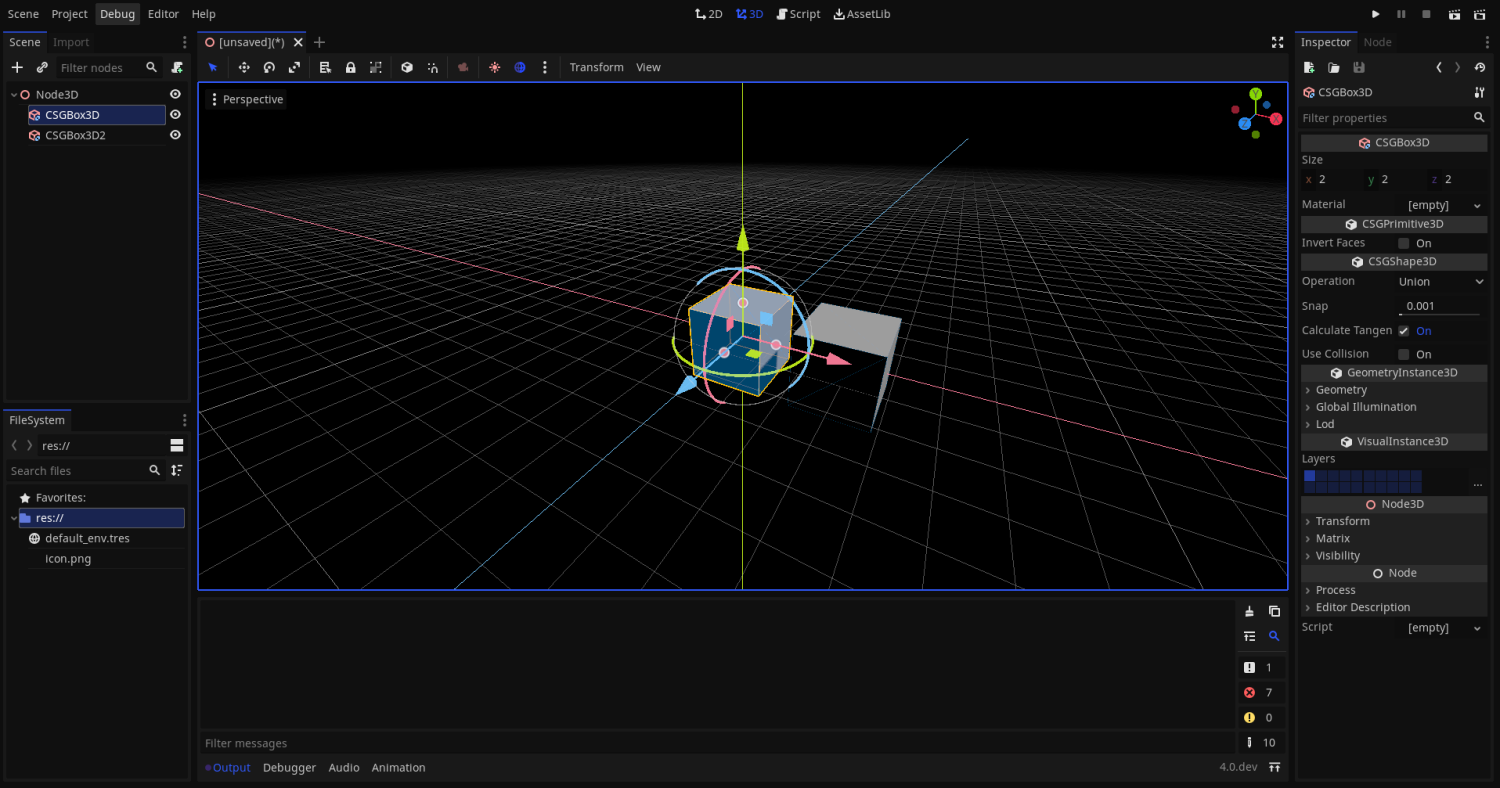
Godot 4.0: Image by SakuraMiyazono CC BY-SA 4.0
Games can be created in Godot using multiple programming languages simultaneously, such as C++, C# and its native scripting language, GDScript. Godot is very lightweight and flexible; its node-based architecture encourages modularity and reusability. All assets, from scripts to textures, are stored directly in the computer’s file system rather than a centralized database, making it easier for teams to collaborate using version control tools.
Zenva is an online learning platform that specialises in technology, coding and game development. Their YouTube tutorial Complete Godot 4.4 Course for Beginners (2025) is a thorough and detailed introduction to the software and can be accessed for free online. Godot Forums and the Godot Engine Discord both serve as community spaces for engaging discussion, helpful guides, collaboration and showcase, no matter your skill level. If you have a particular interest in game development, be sure to check out our article Bringing Unity to Cloth Cat – Games Development in Action! written by Shane Skuse, the Senior Developer at Cloth Cat Games.
On A Final Note
Even if you’re a total beginner, the tools and the knowledge that you need to make your ideas a reality are available at your fingertips. With dedication, commitment and creative ambition, the possibilities are endless! Now it’s up to you to unearth the stories that you’d like to tell.